

Convert your sheet music to editable MusicXML.
Turn a PDF or photo into editable notation you can continue working on in your music software.
Choose a score for MusicXML
PDF, photo or MusicXML
Printed music · up to 20 pages / 25 MB
Sign in to open your own score.
Try it with Respighi.
The Pines of Villa Borghese
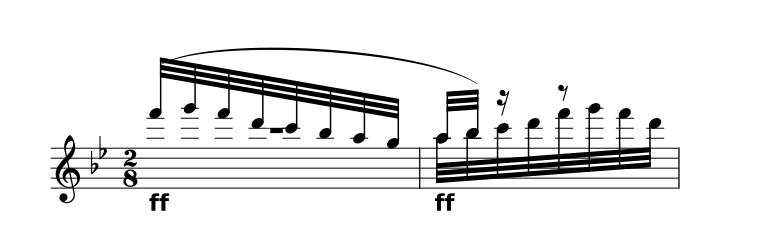
Choose your settings before downloading.
About the prepared demo
The complete movement pairs the original 1925 Ricordi score with a CC0 community transcription. It opens prepared reference notation, without running a scan.
All 43 source parts and 51 staves are retained. Timing repairs, instrument sounds and interpretation limits are documented.
View the original PDF Sources & preparationHow to convert PDF to MusicXML
Upload your score
Choose a clear PDF or photo with every staff and clef in view.
Review the notation
Compare the recognized notes, rhythms and parts with the original.
Export MusicXML
Open the file in your notation software and check the imported score.
Keep working with the notation.
MusicXML is for musical structure, including parts, notes and notation. Choose it when your next step is editing or engraving a score.
- Keep the musical structure
- MusicXML carries parts, pitches, rhythms and supported notation. It is the starting point for further editing and engraving.
- Choose the version
- Keep source MusicXML separately from an edited export. Changes made in Inklef belong to the edited copy; the original PDF stays unchanged.
- Review after import
- Different notation apps may lay out the same data differently. Check voices, ties, slurs, tuplets, instrument transpositions and page turns in the destination app.
A few useful answers.
Is this just a PDF file conversion?
No. A PDF stores the appearance of a page. MusicXML needs musical information, so scanning must identify the notation before you can edit it.
Can I use the file in MuseScore, Dorico or Sibelius?
Those notation applications support MusicXML. Import the file and review its notation and layout in the destination app; exact round-trip fidelity has not been verified for every score.
Can I export a score that still needs corrections?
MusicXML remains available as an editable copy when a score has flagged errors. Those errors are not automatically fixed by exporting.
What can I upload?
PDF, JPG, PNG or WebP of printed music, up to 20 pages and 25 MB, or MusicXML/MXL. Sign in to open your own score. Check scanned notes against the original; handwriting and tablature aren’t supported.