

Practise your sheet music one passage at a time.
Hear your sheet music, slow it down and loop the bars you want to learn.
Choose a score to practise
PDF, photo or MusicXML
Printed music · up to 20 pages / 25 MB
Sign in to open your own score.
Try it with Respighi.
The Pines of Villa Borghese
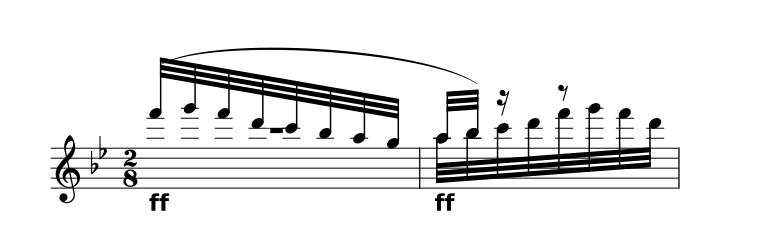
6 bars selected. The loop opens in the complete score.
About the prepared demo
The complete movement pairs the original 1925 Ricordi score with a CC0 community transcription. It opens prepared reference notation, without running a scan.
All 43 source parts and 51 staves are retained. Timing repairs, instrument sounds and interpretation limits are documented.
View the original PDF Sources & preparationHow to practise with your score
Open and review
Choose a PDF, photo or MusicXML score. Check the notes against the original.
Choose your bars
Set the start and end of your loop, then find a comfortable tempo.
Play along
Bring your part forward to learn it, then lower it as you practise.
Stay with the bars that matter.
Set a start and end bar, turn on Loop and choose your pace. Bring your part forward to learn it, then lower it as you play along.
- Use the score’s bar numbers
- Choose the start and end of a passage using its original bar labels. The Respighi demo opens the complete first movement, starting at bar 1.
- Listen in context
- Check dynamics, pedal, clefs and tempo active at the start of the passage. Recognition may need correction where a crop begins mid-phrase.
- Keep rehearsal and export separate
- Looping is for practice. Audio and MIDI exports play the full loaded score or excerpt once, without the metronome.
A few useful answers.
Can I practise with just my accompaniment?
If the score contains it, mute your available part in Parts and play along with the remaining lines. Inklef does not invent missing accompaniment.
Does Inklef listen to or grade my playing?
No. These controls help you rehearse with score playback. They do not follow a live performer, record your playing or give a performance grade.
Are my scores saved?
Scores and originals are saved in this browser on this device. Sign in to open your own files. Clearing browser data removes the library, so download important copies.
What can I upload?
PDF, JPG, PNG or WebP of printed music, up to 20 pages and 25 MB, or MusicXML/MXL. Sign in to open your own score. Check scanned notes against the original; handwriting and tablature aren’t supported.